EN
EN
How to Calibrate Motion Detection on 4G Trail Camera?

Motion detection calibration is one of the most critical setup steps when deploying a 4G trail camera in the field. Proper calibration directly affects image quality, battery life, and the reliability of alerts sent to your mobile device. A poorly calibrated 4G trail camera will either miss important wildlife activity or waste power and storage on false triggers caused by wind, shadows, or vegetation movement. Understanding how to calibrate motion detection on your 4G trail camera ensures you capture only relevant footage while maximizing operational efficiency.
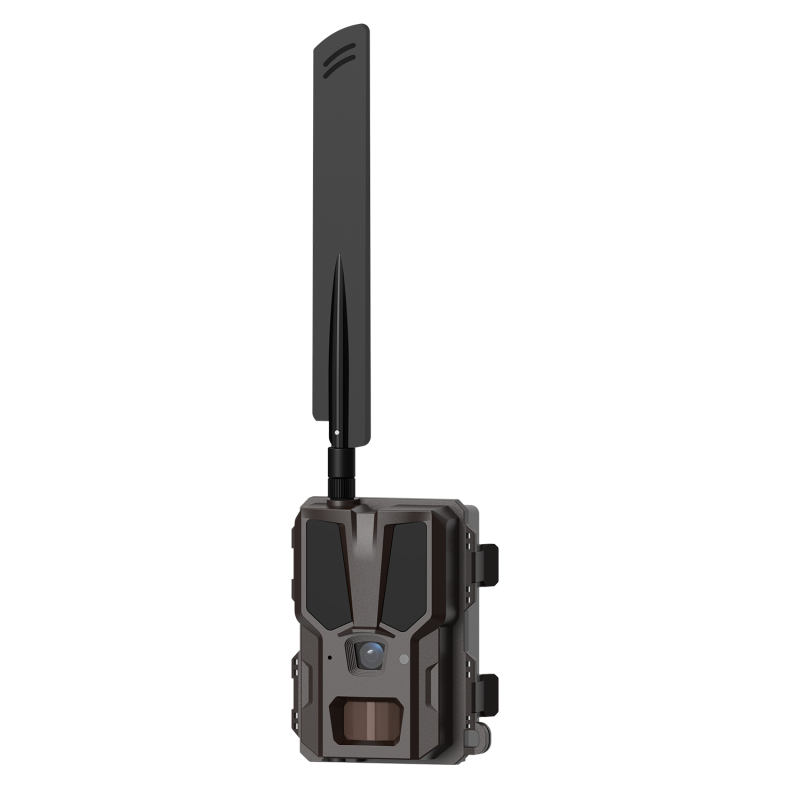
A 4G trail camera equipped with 4G connectivity transmits motion-triggered images and videos directly to your smartphone or cloud platform in near-real-time. However, this advanced connectivity only delivers value when motion detection is properly tuned to your specific environment. Calibration involves adjusting sensitivity levels, detection zones, and time intervals to match local conditions such as wind strength, animal size, lighting, and terrain features. This guide walks you through the essential steps and best practices for calibrating motion detection on a 4G trail camera.
Understanding Motion Sensor Sensitivity on 4G Trail Cameras
How Sensitivity Settings Work
Every 4G trail camera relies on a passive infrared (PIR) sensor to detect motion based on heat changes in its field of view. The sensitivity setting on a 4G trail camera controls how responsive this sensor is to temperature variations. Higher sensitivity means the 4G trail camera will trigger at smaller movements and from greater distances, while lower sensitivity requires stronger heat signatures or closer proximity. Understanding this relationship is fundamental to calibrating a 4G trail camera correctly for your intended use.
Most 4G trail camera models offer sensitivity adjustments across a range from low to high, often labeled numerically or by descriptive terms. A 4G trail camera set to high sensitivity may trigger hundreds of times daily in windy environments because branches, grass, and light reflections can register as motion. Conversely, a 4G trail camera configured with low sensitivity might miss smaller animals or distant subjects. The optimal setting for your 4G trail camera depends entirely on your deployment location and target species.
Environmental Factors Affecting Calibration
Before adjusting sensitivity on your 4G trail camera, identify environmental conditions that influence detection. Sun exposure causes ground temperature fluctuations that trigger false alerts on an improperly calibrated 4G trail camera. Dense vegetation near the lens creates shadows and reflections that can trick the sensor. Water bodies, rocky surfaces, and metallic objects nearby all reflect heat and infrared radiation, affecting your 4G trail camera performance. Wind-driven movement of branches directly in front of your 4G trail camera lens will generate numerous phantom triggers if sensitivity is too high.
Step-by-Step Calibration Process for Motion Detection
Initial Setup and Positioning
Begin calibration by physically positioning your 4G trail camera at the deployment site before finalizing sensitivity settings. Mount the 4G trail camera at the height and angle where you expect to observe target animals. Ensure the lens faces the primary movement corridor and is not aimed directly at the sun or bright reflective surfaces. Many users make the mistake of calibrating a 4G trail camera indoors or in an office, then experiencing poor performance in the field. Your 4G trail camera must be calibrated in its actual operating environment for meaningful results.
Once mounted, access your 4G trail camera menu through the control panel or mobile app. Locate the motion detection sensitivity settings and note the current configuration. Most 4G trail camera manufacturers recommend starting at medium sensitivity, then making small incremental adjustments based on observed results over the first 48 to 72 hours of operation. Document your initial settings so you can track which adjustments improve or degrade performance on your 4G trail camera.
Test and Observe Protocol
Activate test mode on your 4G trail camera if available, allowing you to manually trigger captures without actual motion to verify basic function. Then operate your 4G trail camera for at least three days before making major adjustments. This observation period reveals how often false triggers occur under real conditions on your deployed 4G trail camera. Count the number of images or videos captured daily, note the time of day these triggers occurred, and review thumbnails to identify what actually caused each trigger on your 4G trail camera. If 80 percent or more of triggers are false positives, your 4G trail camera sensitivity is too high.
Use the 4G connectivity feature of your 4G trail camera to receive alerts on your phone and review captures in real-time. This immediate feedback loop accelerates the calibration process significantly compared to traditional trail cameras. Examine whether the 4G trail camera is missing target animals that pass through the detection zone or whether it is wasting battery on wind and shadow triggers. The goal is to calibrate your 4G trail camera so that 90 to 95 percent of captures represent genuine wildlife activity or events you care about monitoring.
Fine-Tuning and Optimization
After three days of baseline observation, make one sensitivity adjustment at a time on your 4G trail camera. If false triggers are excessive, reduce sensitivity by one level on your 4G trail camera and wait another 24 hours before evaluating results. If you are missing genuine activity, increase sensitivity on your 4G trail camera gradually. Most professional deployments of a 4G trail camera settle on medium to medium-high sensitivity, but this varies widely based on site-specific factors.
Additionally, configure the detection zone on your 4G trail camera if the model supports it. Zone selection lets you exclude certain areas within the camera's field of view from triggering motion detection. On a 4G trail camera aimed at a game trail, you might disable the sky zone to ignore cloud movement, or disable the far background zone to focus only on animals at shooting distance. These refinements prevent your 4G trail camera from wasting cellular data and battery power on irrelevant motion in peripheral areas.
Advanced Settings and Time-Based Configuration
Interval and Burst Mode Settings
Beyond sensitivity, your 4G trail camera offers timing controls that impact motion detection performance. The trigger interval or lockout period on a 4G trail camera determines how long it waits after one capture before it can trigger again. A short interval on your 4G trail camera captures multiple images of the same event, while a longer interval conserves battery and storage. For a 4G trail camera monitoring a narrow game trail, a 30-second interval usually balances coverage with resource efficiency. For a 4G trail camera watching a wide open area, you might extend the interval to 60 or 90 seconds.
Burst mode on a 4G trail camera captures multiple images in rapid succession when motion is detected, providing better chance of sharp action shots. However, each burst consumes cellular data when transmitted by your 4G trail camera, so consider your data plan. Configuring your 4G trail camera to capture three images per trigger instead of five can reduce monthly cellular costs while still providing adequate coverage for most wildlife monitoring scenarios.
Time-of-Day and Scheduling
Many 4G trail camera models allow you to disable motion detection during specific hours or enable reduced sensitivity during low-activity periods. If you deploy a 4G trail camera in a location where target animals are predominantly active at dawn and dusk, disable high-sensitivity detection during midday hours when only wind and shadows trigger captures. This scheduling directly reduces false alerts on your 4G trail camera and extends battery life significantly. Some users run their 4G trail camera at full sensitivity only during peak activity windows and at reduced sensitivity during off-hours, creating a customized detection profile.
FAQ
What sensitivity level should I use on my 4G trail camera for deer monitoring?
For deer monitoring, most users calibrate their 4G trail camera to medium or medium-high sensitivity, typically around 40 to 60 percent of the maximum range. Deer generate sufficient heat signatures and movement to trigger reliably at these levels. Start your 4G trail camera at medium sensitivity, then observe for three days. If you are missing deer or capturing blurry action shots, increase sensitivity slightly. If wind and shadows create excessive false triggers on your 4G trail camera, decrease sensitivity by one level. The optimal setting for your 4G trail camera depends on wind frequency, vegetation density, and ambient temperature at your specific site.
How do I reduce false positives on my 4G trail camera without missing animals?
False positives on a 4G trail camera typically result from high sensitivity combined with windy or bright conditions. First, reduce sensitivity on your 4G trail camera by one level and wait 48 hours to assess impact. Second, check that your 4G trail camera lens is clean and not pointed at reflective surfaces. Third, use zone masking if your 4G trail camera supports it to exclude sky areas or distant background. Fourth, enable a longer trigger interval on your 4G trail camera to allow brief wind gusts to settle before sensitivity resets. These adjustments will calibrate your 4G trail camera to eliminate most false triggers while preserving detection of genuine activity.
Can I adjust motion detection sensitivity remotely on my 4G trail camera?
Yes, most modern 4G trail camera models with cloud connectivity allow remote adjustments through a smartphone app. You can change sensitivity, modify detection zones, and configure time-based scheduling on your 4G trail camera from your office or home. This is a major advantage over traditional trail cameras. Log into your 4G trail camera app, navigate to detection settings, and test changes overnight before finalizing them. Remote calibration of your 4G trail camera saves time and eliminates the need for field trips to adjust basic parameters.